The past two weeks of JABA development have been focused on turning the Budget tab from a read-only view into something you can actually work with. Accounts, categories, assignment, and transactions are all coming together into a single, coherent flow.
A Welcome Screen and Real Tabs
When you open JABA for the first time, you now land on a Welcome screen that explains what zero-based budgeting is and what JABA does before you dive in. Tapping Continue brings up the real tab bar: Budget, Reports, Accounts, and Settings. These are no longer placeholder screens. They connect to a real data store that persists across sessions. A first-time guide is also taking shape, with the first step prompting you to add your first account and enter how much is in it right now.
Adding and Viewing Accounts
The Accounts tab now shows your saved accounts. Cash and Credit Card accounts each appear in their own stacked layout, with each card displaying the account name, icon, color, and working balance.
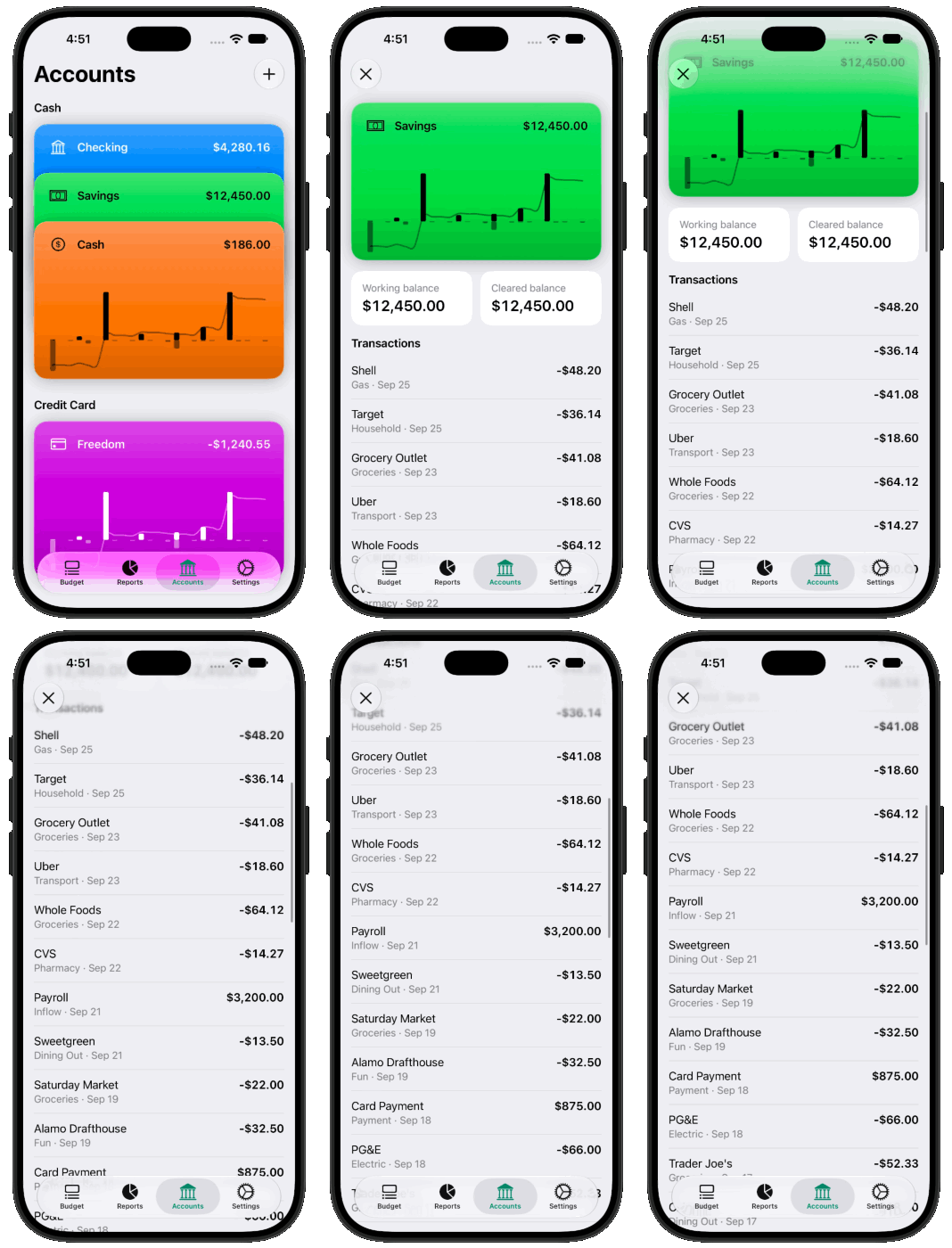
The Monthly Budget View
The Budget tab shows the real budget for the current month. Category groups appear with their names and a chevron you can tap to fold or expand them. Each category row shows what has been assigned and what remains, with Remaining turning red when a category is overspent.
Assign mode is now functional! Tapping Assign opens an editable state where you can type an amount into any category. The amount is saved as you type, so Ready to Assign and Remaining update live without a separate confirmation step.
You can also add categories from the Budget tab. A menu in the top right opens a New Category sheet where you name the category, pick a group, and optionally create a new group on the spot.
Recording Transactions
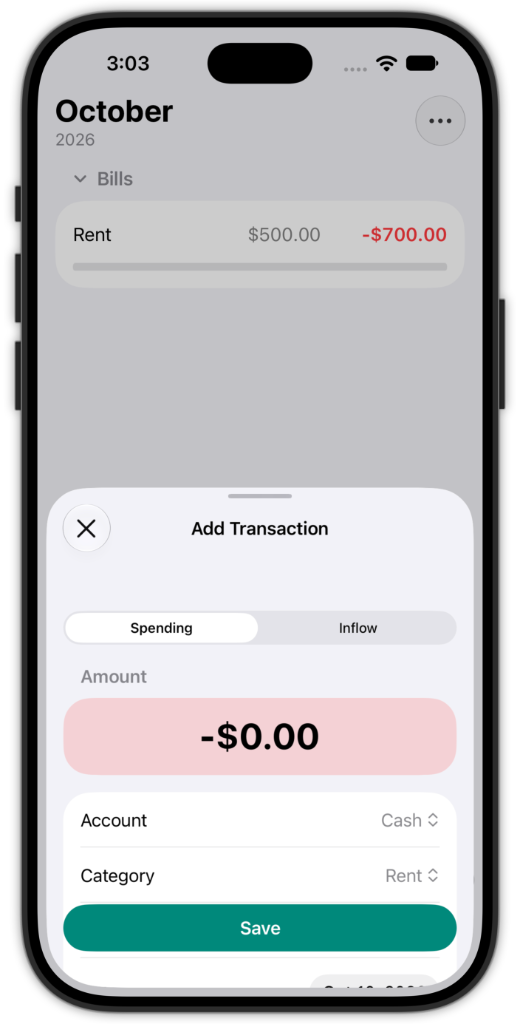
Transactions can now be recorded from the Budget tab. A Transaction button appears in the toolbar once a category exists or above the tab bar once Ready to Assign reaches zero. The Add Transaction sheet takes all the details so when you save, the category’s Remaining amount and the account’s balance is updated immediately.
Spending and Assigned in Reports
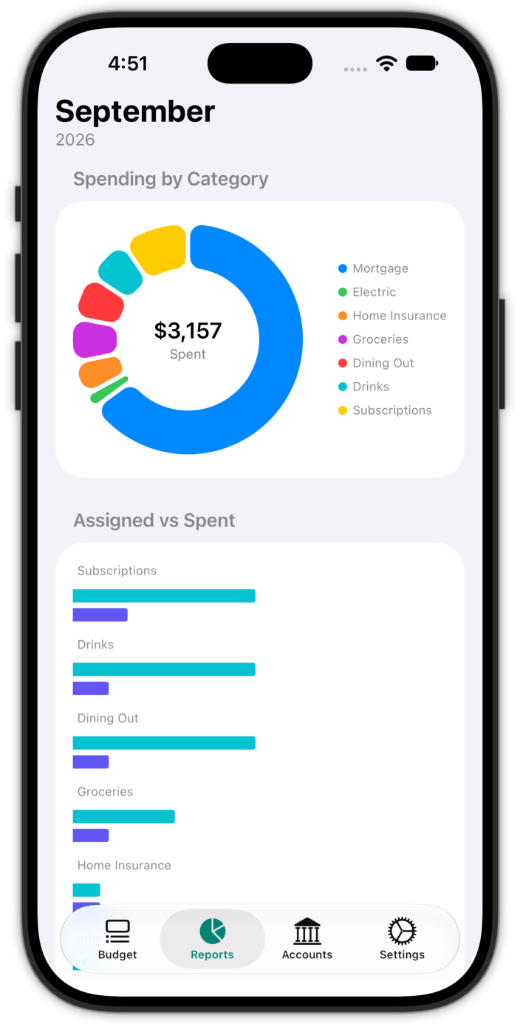
The Reports tab now shows charts for the month’s spending and assigned amounts by category.
Site Copy Updated
The JABA website has been updated to reflect how the app actually works. The focus is now on manual-first, zero-based budgeting: you decide where your money goes, record what actually happens, and JABA keeps an accurate picture of what you have available. Bank syncing is described as a future convenience rather than a core feature, and the privacy and terms pages have been updated accordingly.
Each of these improvements brings JABA closer to the experience it is meant to be.